

Latest Version
Intrepid Corporation LTD
IT Tools
Mac
Free
1580431405
Report a Problem
More About HTML Editor App Review
When it comes to web development on macOS, having a lightweight yet capable tool can make all the difference. The HTML Editor app for Mac offers a streamlined, distraction-free environment designed specifically for writing, editing, and previewing web markup without the bloat of massive integrated development environments.
What is the HTML Editor App for Mac?
Developed by Intrepid Corporation LTD, this utility is a dedicated editor tailored for developers who need to quickly modify code on the go. Unlike heavy IDEs, this tool launches instantly and focuses on the core essentials of markup creation. Whether you are tweaking an existing website template or writing a new page from scratch, it provides a stable and responsive workspace.
Key Features for Real-World Workflows
To help you understand what you can actually accomplish with this software, here is a breakdown of its core functional capabilities:
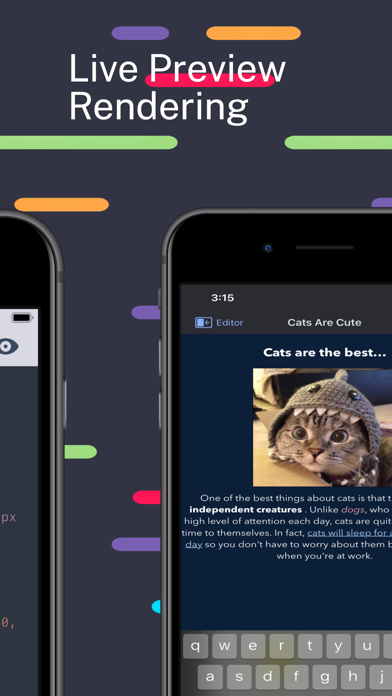
- Live Preview Panel: Render your markup in real-time. As you type your tags and style your elements, the built-in preview pane updates instantly, eliminating the need to constantly switch back and forth to an external web browser.
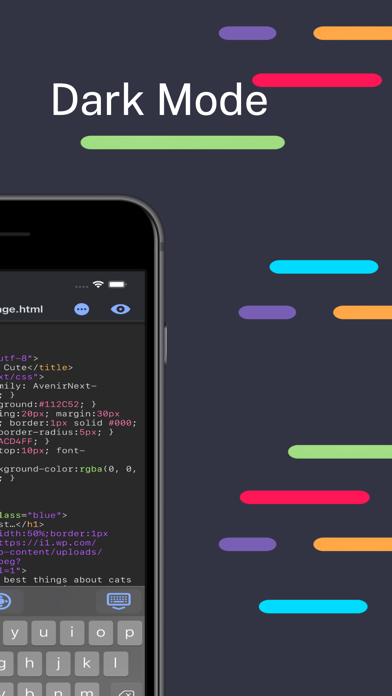
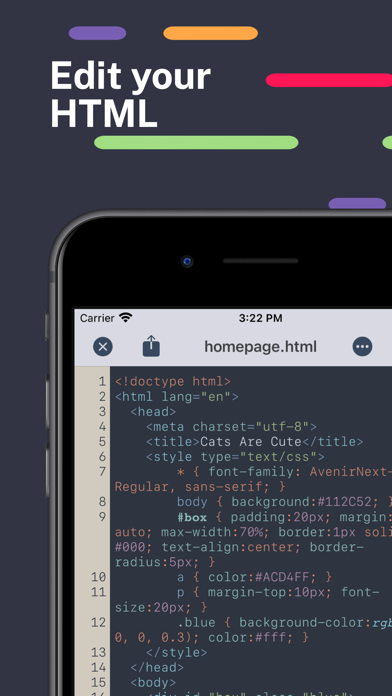
- Syntax Highlighting & Code Suggestions: Keep your code clean and readable. The editor automatically highlights HTML syntax and offers focused code completion suggestions, helping you avoid unclosed tags or structural errors.
- IntelliSense Commenting: Easily comment out blocks of code dynamically using the smart detection system, making debugging and template experimentation much faster.
- Seamless iCloud Integration: Open, edit, and save documents directly within your iCloud storage or local folders. The app also supports a simple drag-and-drop gesture—just drop an HTML file onto the dock icon to start editing immediately.
- Cross-Platform Continuity: If you work across multiple Apple devices, you will appreciate that this utility is also available on iOS, allowing for a consistent editing experience on your iPad or iPhone.
Who is This Code Editor For?
The HTML Editor app for Mac is ideal for freelance web designers, students learning front-end development, and content managers who frequently need to clean up messy exports or construct quick landing pages. It strips away complex project configuration settings, leaving you with a pure, efficient canvas focused entirely on your markup.
Get Started with HTML Editor
If you are looking for an uncomplicated, agile utility to handle your daily markup tasks with built-in previews and iCloud synchronization, this tool is highly worth considering. To explore its features firsthand and add it to your development toolkit, head over to the official Apple Mac App Store to view the listing and get started.
Rate the App
User Reviews
Other Apps in This Category



Popular Apps









Editor's Choice